
Integrations
Use Trendtrack with ChatGPT
Connect ChatGPT to the Trendtrack public API through Trendtrack's remote MCP endpoint for live brand, ad, shop, and workspace analysis.
ChatGPT can connect to Trendtrack through a custom MCP app using Trendtrack's remote MCP endpoint.
https://api.trendtrack.io/v1/mcpSetup
Make sure Public API access is enabled for your workspace before connecting ChatGPT. If needed, follow Authentication first.
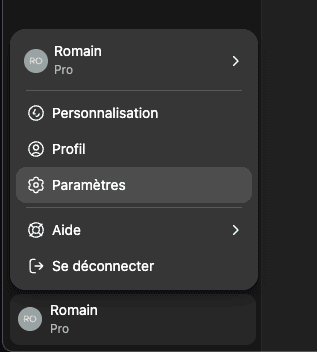
In ChatGPT, click your profile in the bottom-left corner, then click Settings.
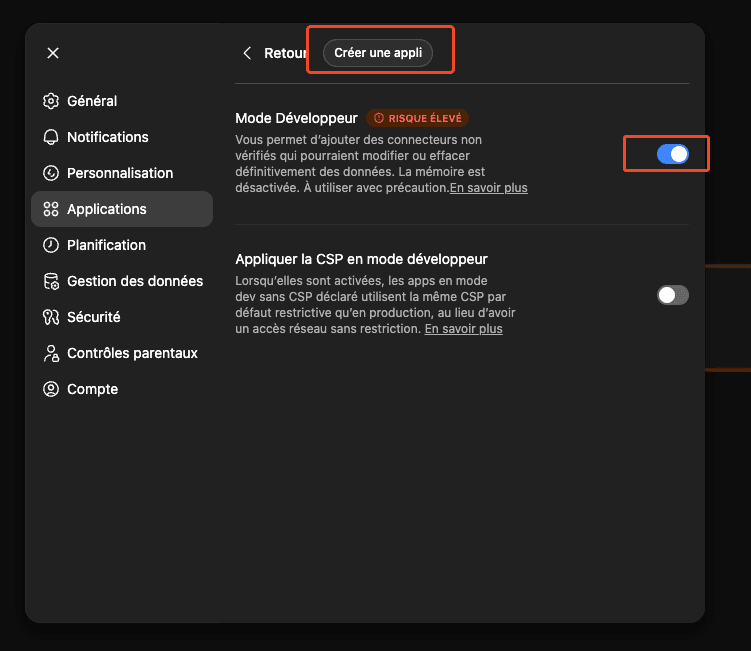
Go to Apps, then open Advanced settings.
Enable Developer mode, then click Create an app.
Set the app name to Trendtrack, set/paste the MCP server URL to https://api.trendtrack.io/v1/mcp, then click Create.
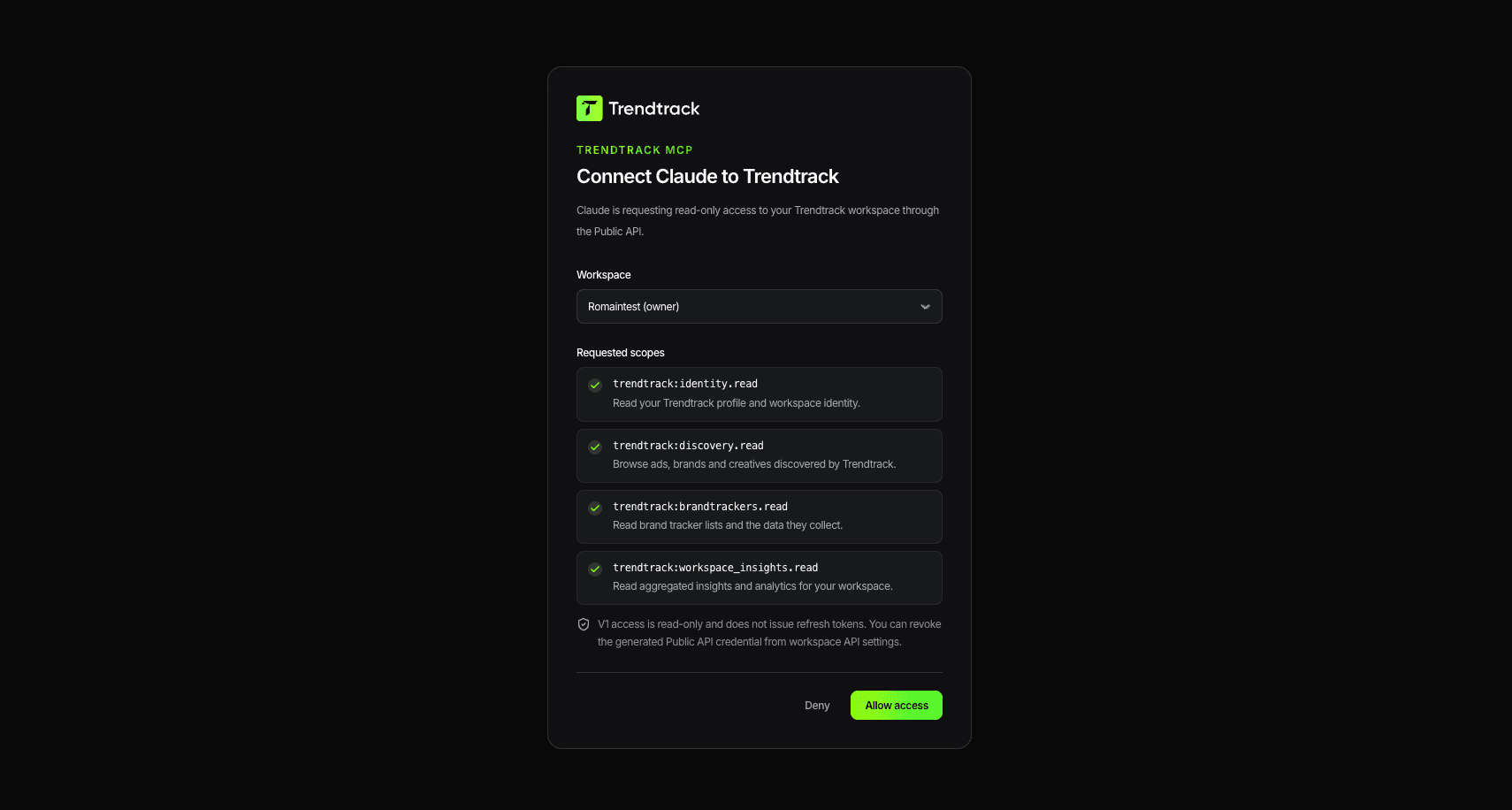
On Trendtrack, click Allow access to complete OAuth.
Trendtrack is then available inside ChatGPT.
Example prompts
- Find Shopify stores selling skincare in France with active Meta ads.
- Look up this brand and summarize its current top ads.
- Show my workspace's fastest scaling ads this week.
- Check remaining usage credits before running a large query.
Cost and safety notes
- Start with read-only discovery endpoints like
/v1/me,/v1/workspace,/v1/usage, and/v1/lookup. - Metered endpoints consume credits per returned row.
- See Credits & Billing and Rate Limits before running large queries.
Troubleshooting
- ChatGPT can't create the app: confirm Developer mode is enabled in Apps advanced settings.
- The app can't connect: confirm the MCP URL is the canonical extension-server
/v1/mcpendpoint:https://api.trendtrack.io/v1/mcp. - ChatGPT can't access workspace data: reconnect the app and complete OAuth again.
- Unexpected credit usage: ask ChatGPT to check usage first and run smaller limits.
- 429 rate limits: wait and retry according to Rate Limits.